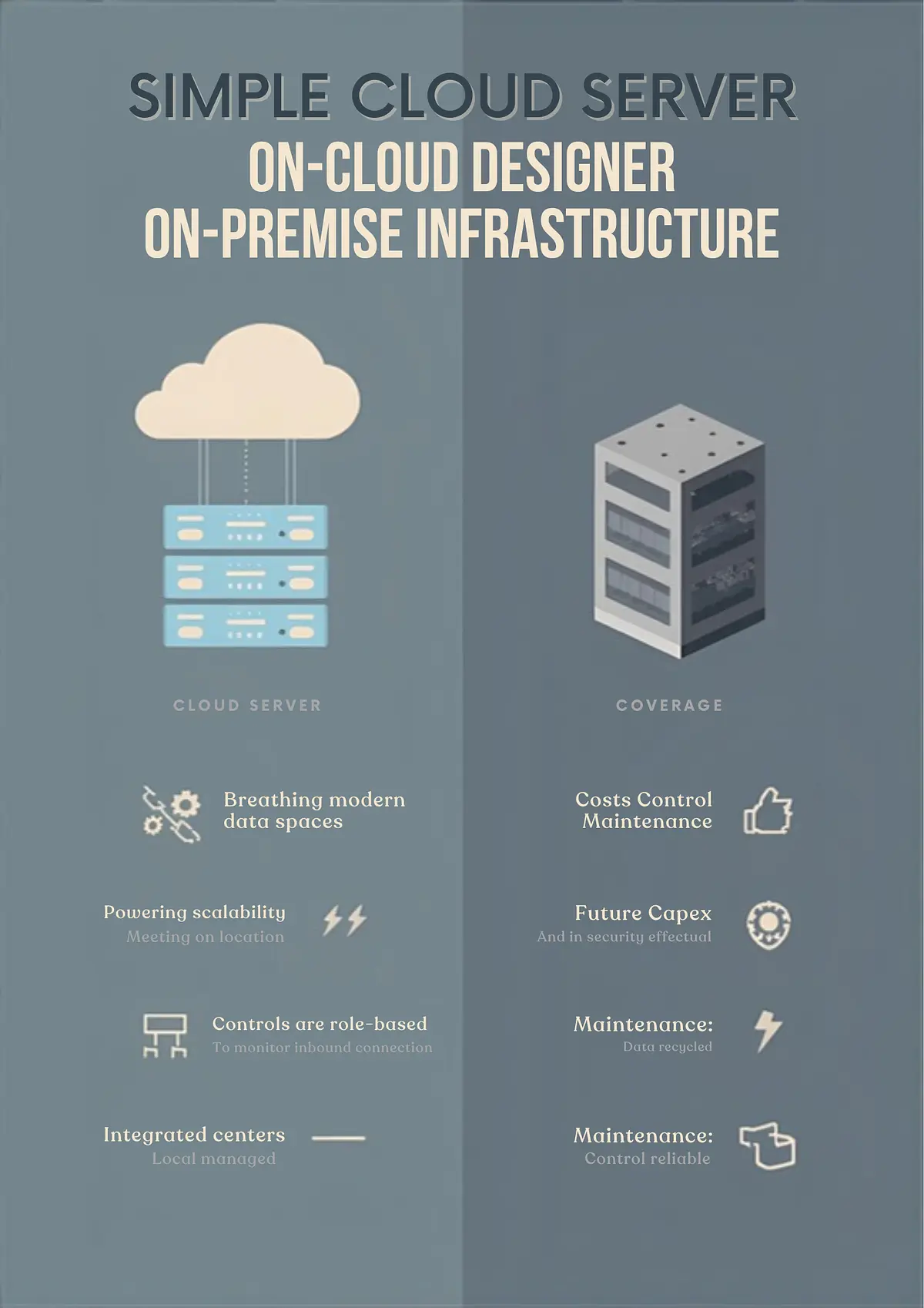
On-Premise vs. Cloud AI Email: Security Trade-Offs
Every technology decision involves trade-offs, but the choice between on-premise and cloud AI email assistants carries particularly high stakes. On-premise means your data stays on your servers, under your control. Cloud means your data goes to a vendor's infrastructure, and you trust their security. Neither is universally better—each has genuine advantages and real risks.
For organizations handling sensitive information—healthcare providers, financial services firms, legal practices—this decision shapes your security posture, your compliance obligations, and your operational costs for years. Understanding the trade-offs helps you make a choice aligned with your risk tolerance and business needs.
The Control vs. Agility Spectrum
The fundamental tension is control versus agility. On-premise gives you maximum control over data and security. You manage your own infrastructure, set your own policies, and decide exactly how data is handled. But this control comes with costs: you need expertise to manage it, you bear all responsibility for security, and you must invest significant capital upfront.
Cloud solutions offer agility. You pay for what you use, scale instantly, and let the vendor handle infrastructure management. But you trade direct control for convenience. Your data is on someone else's servers. Your security depends on their practices. You're bound by their policies.
Many organizations try to split the difference with hybrid approaches—keeping the most sensitive data on-premise while using cloud solutions for less critical work. This offers flexibility but adds complexity.
On-Premise: The Case for Maximum Control
On-premise AI email solutions appeal to organizations that prioritize data sovereignty and security above all else.
Data Sovereignty: Your data never leaves your network. It stays within your organization, on your servers, within your country if required by regulation. This addresses data residency requirements that some regulations impose. If GDPR requires EU data to stay in the EU, an on-premise solution in Europe guarantees this.
Customization: You can tailor security protocols to your specific needs. If your industry requires specific encryption algorithms or authentication methods, you implement them. You integrate deeply with your existing infrastructure.
Performance: Data is processed locally, which means low latency and high speed. For real-time analysis of email content, on-premise can outperform cloud solutions that rely on internet connectivity.
Independence: You're not dependent on a vendor's uptime. If a cloud vendor experiences an outage, your service continues. You're not hostage to a vendor's pricing changes or feature decisions.
Physical Security: You control the data center where your data resides. You decide on physical access controls, surveillance, and security personnel. You control the entire stack from hardware to software.
But these advantages come with significant costs:
Capital Expenditure: You must buy servers, storage, networking equipment, and backup systems. The upfront investment is substantial. For a small organization, this might be prohibitive.
Operational Complexity: You need IT staff who understand the system, can troubleshoot problems, manage updates, and handle security incidents. This expertise is expensive and hard to find.
Scalability Limitations: Adding capacity requires purchasing and installing hardware. If your needs spike unexpectedly, you can't instantly provision more resources like you can in the cloud.
Security Responsibility: You bear full responsibility for security. If there's a breach, you can't blame the vendor. You must keep systems patched, monitor for threats, and respond to incidents.
Vendor Lock-In: Ironically, on-premise solutions can create lock-in too. You build your infrastructure around specific vendor systems. Switching vendors requires significant migration effort.
Cloud: The Case for Scalability and Innovation
Cloud AI email solutions appeal to organizations that prioritize flexibility, cost-efficiency, and access to cutting-edge technology.
Lower Upfront Cost: You don't buy infrastructure. You pay a subscription, typically per user per month. This lowers capital expenditure and makes budgeting predictable.
Scalability: You scale instantly. Adding 100 new users is a trivial administrative task, not a hardware procurement project. As your organization grows, the cloud grows with you.
Managed Security: The cloud vendor invests heavily in security. They employ dedicated security teams, conduct regular audits, and maintain security certifications. For many organizations, this is better security than they could achieve alone.
Rapid Innovation: Cloud vendors are at the forefront of AI development. You get access to the latest models and features without waiting for new hardware to arrive or new software versions to be released.
Ease of Deployment: You can often be up and running in days, not months. No hardware to order, no infrastructure to build, no staff to train on new systems.
But cloud solutions come with their own costs:
Data Security Dependency: Your security depends entirely on the cloud vendor. A vendor breach exposes your data. You must trust their security practices and audit their claims.
Data Location Uncertainty: Your data might be stored in multiple geographic locations. Data residency requirements become complicated. You have less certainty about where your data physically resides.
Vendor Lock-In: Moving data away from a cloud vendor is difficult. Your data is in their format, their systems, their infrastructure. Switching vendors requires significant migration effort and potentially data loss.
Limited Customization: Cloud vendors offer a standardized product. You can't customize deep infrastructure components. If the vendor's approach doesn't match your security requirements, you're stuck.
Shared Responsibility: Cloud vendors use a "shared responsibility" security model. You're responsible for some aspects of security (access control, user authentication) while they're responsible for others (infrastructure, encryption). Misunderstanding who's responsible for what creates gaps.
Compliance Complexity: While cloud vendors often claim compliance certifications, ultimate responsibility for compliance rests with you. If a breach occurs, the vendor can point to their SOC 2 report while you face regulatory liability.
The Hybrid Approach
Many organizations split the difference. Sensitive data stays on-premise. Less critical work uses cloud solutions. This hybrid approach balances security and agility.
For example, a healthcare organization might run on-premise AI for analyzing patient emails (PHI data is extremely sensitive) while using cloud-based AI for administrative emails or marketing communications. A financial services firm might keep trading-related email on-premise while using cloud solutions for internal communications.
Hybrid approaches work but add complexity. You maintain two separate systems, two separate vendor relationships, and two separate sets of security policies. Integration between on-premise and cloud components creates additional complexity.
A Cost Comparison
Total cost of ownership matters. It's not just subscription fees versus hardware costs.
On-Premise TCO includes initial hardware purchase (often $50,000-$500,000+ depending on scale), annual maintenance and support (typically 10-20% of hardware cost), staff costs for IT operations, electricity and facilities, disaster recovery and backup systems, and software licensing.
For a mid-sized organization with 500 users, on-premise might cost $200,000 upfront plus $50,000+ annually in operations and staff time. That's $250,000 in year one, $50,000+ in subsequent years.
Cloud TCO includes subscription fees ($10-50 per user per month depending on the vendor and features), no hardware or operations costs, no dedicated staff, built-in disaster recovery and backup.
For the same 500 users, cloud might cost $60,000-$300,000 annually, depending on the vendor and features. No upfront cost.
On-premise looks cheaper after several years if you amortize the upfront investment. But it requires the capital, the expertise, and the ongoing operational commitment. Cloud looks more expensive over time but requires no upfront capital and less operational expertise.
The break-even point depends on your organization's size, the cost of IT labor in your market, and how long you plan to keep the system. A large financial institution running the same system for 10 years might save money with on-premise. A growing startup might find cloud more cost-effective.
Regulatory Considerations
Regulatory requirements often drive the decision:
Data Residency: If your regulators require data to stay within a specific country or region, on-premise solutions in that region are simpler than navigating cloud vendor infrastructure across multiple countries.
Compliance Certifications: Cloud vendors often have SOC 2, ISO 27001, and industry-specific certifications. If you need evidence of compliant infrastructure, cloud vendors can provide it more easily than building it yourself.
Audit and Inspection: Regulators often want to audit systems. Cloud vendors expect this and have audit processes in place. On-premise systems require you to conduct and document your own audits.
Vendor Selection for Regulated Industries: If you're in healthcare or finance, your vendor choice matters more. Cloud vendors that are SOC 2 and HIPAA (for healthcare) or PCI-DSS (for finance) compliant are preferable. Make sure you understand what compliance certifications mean and verify them independently.
Making the Decision: A Framework
Ask yourself these questions:
1. Data Sensitivity: How sensitive is the data your AI system will access? If it's extremely sensitive (patient records, financial transactions, trade secrets), on-premise offers more control. If it's moderately sensitive (general business email), cloud is adequate with proper vendor selection.
2. Regulatory Requirements: Are you in a regulated industry? Do you have specific data residency requirements? Regulatory constraints often favor on-premise.
3. Technical Expertise: Do you have IT staff who can manage on-premise infrastructure? If not, you'll need to hire or outsource, adding cost.
4. Budget: What's your budget? If capital is limited, cloud is more accessible. If you have capital available, on-premise might be cost-effective over time.
5. Growth and Scale: Are you growing rapidly? Cloud scales more easily. Are you stable and predictable? On-premise might be more cost-effective.
6. Risk Tolerance: How risk-averse is your organization? On-premise puts security in your hands—you control it, but you're also responsible if something goes wrong. Cloud distributes risk—the vendor shares responsibility.
7. Vendor Trustworthiness: For cloud solutions, how much do you trust the vendor? Have they had security breaches? What do independent security researchers say about them?
Most organizations find that cloud solutions are sufficient if they choose vendors carefully. The major cloud providers have security practices that rival or exceed what most organizations could build themselves. For exceptionally sensitive data or organizations with specific regulatory requirements, on-premise remains valuable.
The key is making an informed decision based on your specific situation, not following an industry trend or theoretical principle. Both models work—the question is which trade-offs align with your needs.