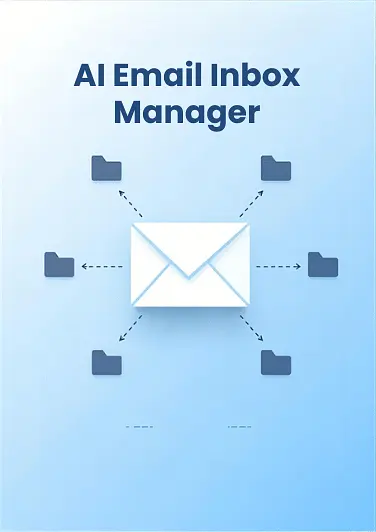
AI Email Triage: How to Automatically Sort Your Inbox by Priority
The Email Overload Crisis
The average knowledge worker spends 28% of their workweek managing email—that's over 11 hours out of a standard 40-hour week. With 376 billion emails sent and received daily, and the average professional receiving around 121 messages per day, email has become a critical productivity drain.
The real problem isn't just volume. In a Mailbird survey, professionals found that only 10% or less of their incoming emails were actually business-critical. The rest? Newsletters, notifications, automated alerts, and low-priority messages that clutter the inbox and demand attention they don't deserve.
This constant influx of messages leads to missed opportunities, delayed responses, and burnout. Many professionals spend up to 5 hours per day managing their inboxes, and the stress of an overstuffed inbox takes a real toll on well-being.
What AI Email Triage Actually Is
AI email triage is the application of artificial intelligence to automatically sort, prioritize, and manage incoming emails. Instead of manually organizing your inbox or relying on basic rules, AI-powered systems learn from your patterns and understand the context of every message.
These systems use natural language processing (NLP) and machine learning to analyze emails at scale. They understand not just what a message says, but who it's from, when it arrived, what you've done with similar messages before, and whether it requires immediate action.
As Michael Becker, writing for Polymail, puts it: "Email stops being passive. It becomes a command layer—a digital assistant that helps you get things done, not just track what came in."
How AI Triage Works: The Core Technologies
Priority Level Detection
AI systems analyze multiple signals to determine which emails truly matter. They look at sender relationships, keywords, urgency cues, and even the timing of delivery. An email from your CEO marked urgent will rank differently than a promotional message, but the system also learns your actual priorities over time.
Automated Categorization
Rather than forcing you to manually create folders, AI automatically sorts emails into relevant categories. A customer support team might see emails automatically tagged as "bug report," "billing question," or "feature request." An executive might see "urgent client," "board meeting," or "marketing update."
Urgency Detection
The system identifies time-sensitive requests and deadlines. It recognizes language that signals urgency—deadlines, action requests, critical issues—and surfaces those messages first. This ensures you never miss a true priority.
Thread Summarization
Long email chains become overwhelming. AI condenses entire conversations into concise summaries highlighting key points, decisions, and next steps. This saves hours per week on inbox management.
Getting Started: A Practical Setup Guide
Step 1: Audit Your Current Workflow
Before implementing AI triage, understand your pain points. Track which emails you actually need to see immediately and which ones are noise. What categories naturally emerge from your email? What frustrates you most about your current system?
Step 2: Choose the Right Tools
Different tools offer different levels of sophistication. Some work as lightweight plugins for Gmail or Outlook. Others are dedicated email clients built from the ground up with AI at their core. Consider your email platform, the level of customization you need, and whether you want third-party access to your inbox.
Step 3: Configure Your System
Set up priority levels and categories that match your actual workflow. Define what "urgent" means for you. Create rules based on senders you always need to hear from immediately. Mark VIP contacts whose emails should always generate alerts.
Step 4: Train the AI
AI improves through feedback. Mark emails as correctly or incorrectly prioritized. Give the system natural language instructions like "prioritize emails from the product team that mention deadlines." The more feedback you provide, the better it learns your preferences.
The Real-World Impact
Research from the London School of Economics found that employees using AI save the equivalent of one full workday per week. That's significant—potentially 240+ hours per year of reclaimed productivity.
AI-powered email tools that convert emails to tasks and prioritize urgent work have been shown to lead to 2.5 times faster response times. For a customer service organization, implementing an AI triage system resulted in a 40% reduction in email volume handled by agents, a 55% faster first response time, and improved compliance with communication standards.
Organizations implementing structured email management strategies, including AI technology, see a 30-40% reduction in productivity loss related to email.
These aren't abstract benefits. They translate directly to more time for meaningful work, faster client responses, and reduced burnout.
The Human Element: AI as a Tool, Not a Replacement
It's important to acknowledge the limitations. As email expert Daniel Clark notes: "The AI can't know that a client is frustrated even though they're being polite, that a particular relationship needs an extra personal touch or what will actually help you achieve your goals."
Email is fundamentally about relationships. The tone you use, the priority you signal, the judgment you exercise—these things are at the core of professional communication. AI should handle the repetitive categorization and sorting, while you focus on strategy, empathy, and human connection.
This is the key to effective AI implementation: let the technology manage the volume and surface what matters, while you bring judgment and relationship management to the actual communication.
The Future of Email Management
As AI continues to evolve, email will become less of a chaotic inbox and more of an intelligent command center. The trend is toward systems that not only prioritize automatically but also suggest actions, draft responses, and adapt to your changing priorities throughout the day.
The professionals who embrace AI email triage won't be sacrificing control or humanity. They'll be reclaiming hours each week for work that actually matters—strategy, relationships, creativity, and impact.
Start small. Try one smart inbox feature this week. Train the AI with feedback. See what happens to your productivity and stress levels. The future of email management is here, and it's powered by AI working alongside human judgment.
Internal Links
Learn more about how AI email triage works
External Sources
McKinsey: Email Overload Statistics
CloudHQ: Workplace Email Statistics 2025
London School of Economics: AI Productivity Research
Polymail Blog: The State of Email in 2025